Learning
Angada learns review patterns from your senior reviewers and your feedback on findings, and you manage what it learned on the Learning page.
Learning is how Angada picks up your team's conventions. It turns the review comments of your senior reviewers into a list of learnings, short rules such as "Prefer table-driven tests", and tracks the active ones against your findings. You see and manage the list at Review → Learning.
Learnings currently run in shadow mode: Angada tracks where they would apply, but they do not change reviews yet. The Knowledge base has no approve action yet, so new team patterns stay Suggested.
Learning is on for your Workspace. Learnings, feedback, and outcomes are scoped to the Workspace that produced them and are never used in another one.
How learnings are made
- A Workspace admin picks up to 10 senior reviewers during setup. See the Quickstart.
- Angada reads the review comments those people wrote that were later addressed, on your tracked repositories. It looks back up to 365 days and reads up to 200 pull requests per repository.
- When enough comments say the same thing, Angada writes a learning. A pattern needs at least 3 comments, from at least 2 pull requests and 2 authors.
- A new learning starts as Suggested. Angada tracks only Active learnings against your findings.
Each learning keeps the evidence behind it: the comments, who wrote them, and a link back to each one.
Open the Knowledge base
Select Review → Learning in the sidebar. The Knowledge base tab opens first.
The table lists one learning per row with these columns.
| Column | What it shows |
|---|---|
| Learning | The rule text, with its kind underneath: team_pattern, taught, rejection_pattern, or imported |
| Scope | Workspace for a learning that applies everywhere, or the repository and path it is limited to |
| Source | The learning class, calibration or knowledge |
| Usage | Applied with a count, Would apply with a count of findings, or Not yet |
| Status | Active, Suggested, or Archived |
Usage reads Would apply when the learning matched findings but only as an observation, which is what you see while learnings run in shadow mode. Applied appears once learnings apply to findings. Not yet means no match so far. The line above the table summarizes the same for your last reviews, for example "Shadow mode: would have applied on 4 findings in your last 12 reviews."
Search with Search learnings…, and filter by Status, Kind, and repository. Select a repository name in the Scope column to filter to it. The page shows 10, 25, or 50 rows at a time.
Learnings marked Style · Shown only, not applied are listed for your reference. Angada does not apply style patterns to reviews.
Read the evidence
Select a row to open its drawer. The drawer shows these sections.
| Section | What it shows |
|---|---|
| Do not apply when | The exception that stops the learning from firing, or "No exceptions specified." |
| Scope | Where it applies, and who created it |
| Usage | Evidence, authors, applied, would apply, and when it was last confirmed |
| Evidence | The newest source comments, each with the author, a link to the pull request, the date, an excerpt, and View comment |
Evidence from someone you removed from your senior reviewers carries a Former senior reviewer badge.
Archive, restore, or delete
Workspace admins can change a learning from its drawer. Members can read the Knowledge base but cannot change anything; the drawer tells them "Only workspace admins can change learnings."
| Action | What happens |
|---|---|
| Archive | Angada stops matching findings against the learning. You can restore it later. |
| Restore | The learning returns to its status from before it was archived and matches findings again if that status was Active. |
| Delete learning | The learning and its evidence are removed. This cannot be undone. Archive instead to keep it restorable. |
Each action asks you to confirm. The page confirms with "Learning archived.", "Learning restored.", or "Learning deleted."
Learning progress
While Angada is reading your senior reviewers' history, admins see a status line above the Knowledge base.
| Message | Meaning |
|---|---|
| Angada starts learning from your senior reviewers within the hour. | The run is scheduled. |
| Learning from N PRs… New team patterns appear here as they are found. | The run is in progress. |
| Learning paused at this run's spend limit. Team patterns found so far are listed below. | The run hit its spend limit and stopped. |
| Learning from your senior reviewers did not finish. | The run failed. |
With no learnings yet, the table reads "No learnings yet." and tells you that an admin chooses senior reviewers to start.
Your feedback on findings
Every action you take on a finding is recorded as a signal.
| Signal | What you do | What Angada records |
|---|---|---|
| Reaction | React to a finding comment | The reaction |
| Reply | Reply in the finding thread | The reply |
| Resolve | Resolve the thread | The finding was addressed |
| Unresolve | Reopen a resolved thread | The outcome was reverted |
| Dismissal | Dismiss the finding | The finding was rejected |
Dismissals work separately from learnings. A dismissal also becomes a remembered rejection. In later reviews, Angada compares new findings with your past rejections. A finding that closely matches several of them moves from an inline comment into the summary. It is never suppressed.
When you resolve or dismiss a finding, that outcome sticks across pushes on the same pull request, and Angada edits the same comment in place instead of posting a new one.
For how reviews track across pull request updates, see Re-runs and continuity.
Guide the reviewer directly
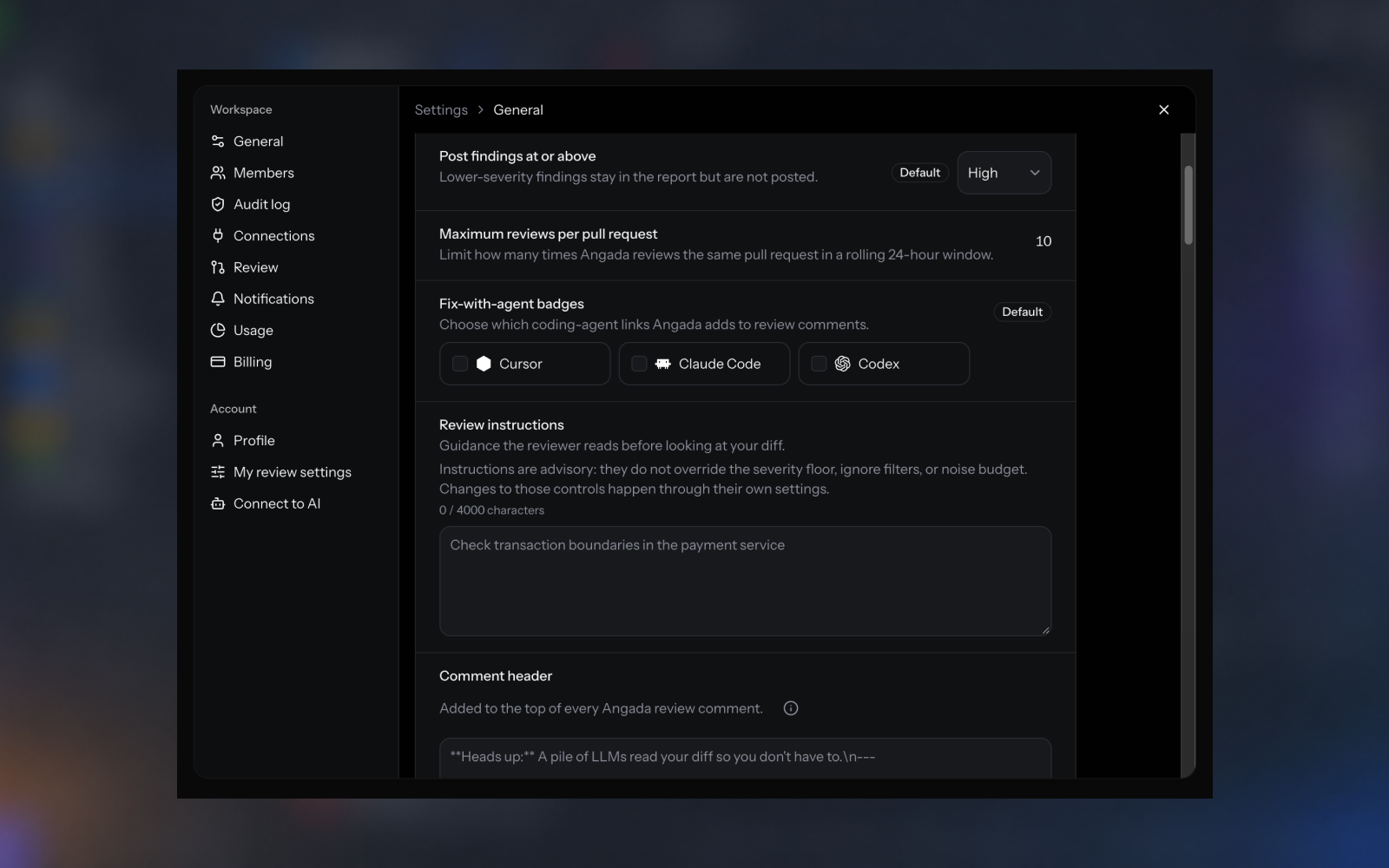
Review instructions are the explicit guidance channel. A Workspace admin sets them in Settings → Review → Review instructions, up to 4,000 characters. Write the reason, not just the rule.
| Instruction | |
|---|---|
| ❌ | We don't do this. |
| ✅ | We avoid wildcard imports because they hide which symbols a file depends on. |
For the full setup, see Custom context.
Measure the effect
Analytics → AI Review reports the addressed rate for your findings. See AI Review analytics.